How it all works together
Here is a Saturday. You would like to make chicken soup. Watch what the guide does for you.
- Save the recipe
- It checks your pantry
- One button
- List ready
Save the recipe
Type it in, paste it, snap a photo, or save it from a web page. It lands in your Recipes, and right away it tells you how much you still need: "6 ingredients, 5 to buy".
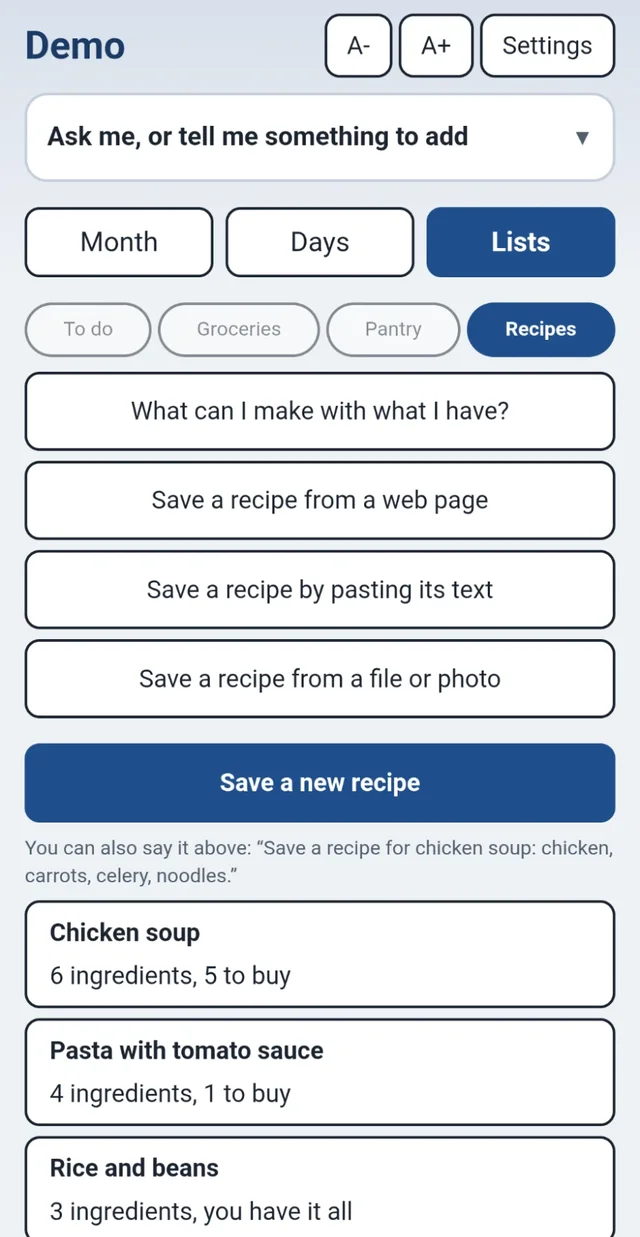
It checks your pantry
Open the recipe. Salt is already in your pantry. Chicken, carrots, celery, onion and noodles say Need to buy.
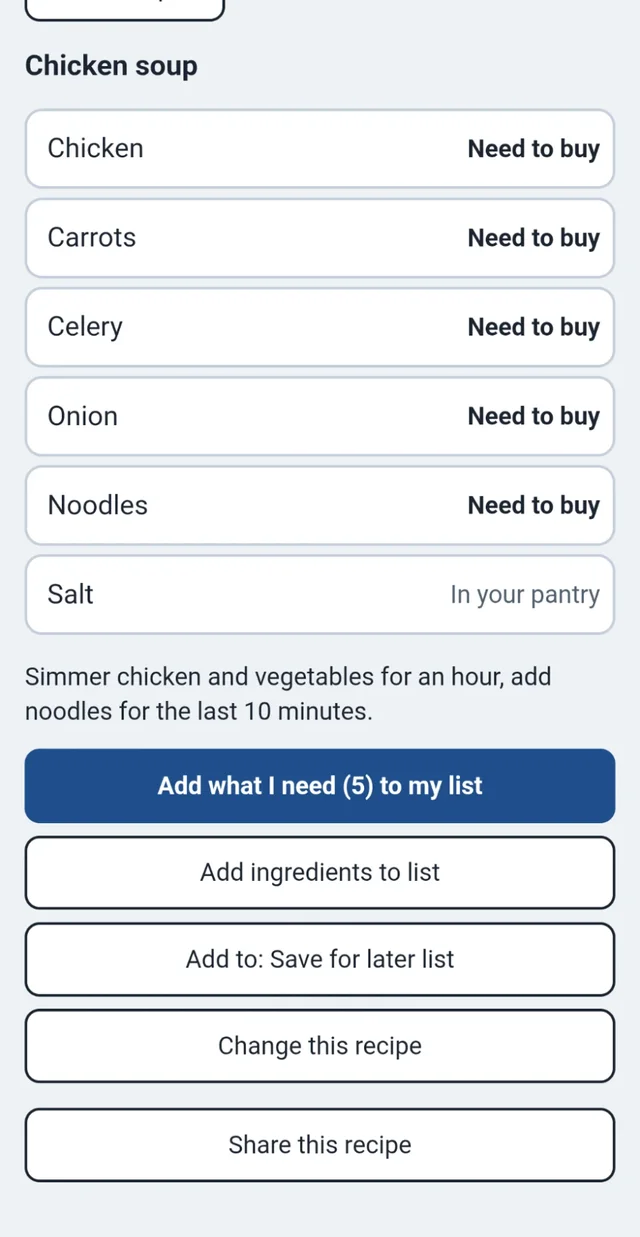
Press one button
Press Add what I need (5) to my list. Nothing to retype, and nothing you already own goes on the list.
Add what I need (5) to my list
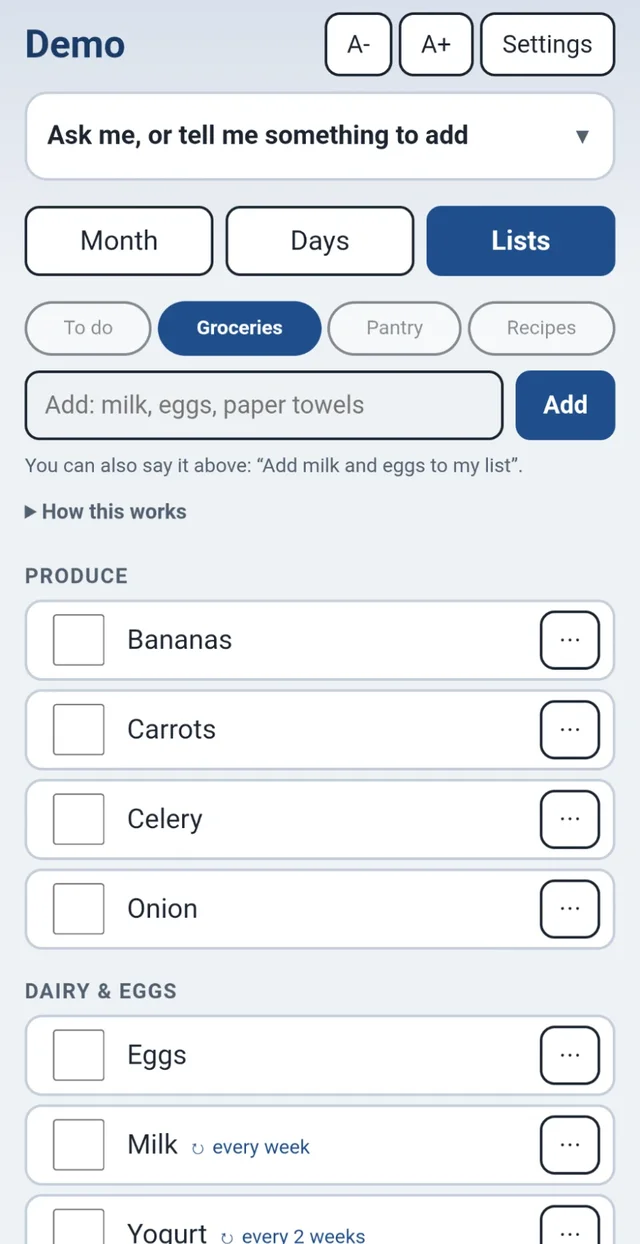
Your grocery list is ready
Carrots, celery and onion are under Produce. Noodles are under Pantry. Everything is sorted by aisle, and it remembers what you buy week after week.
Not sure what to cook?
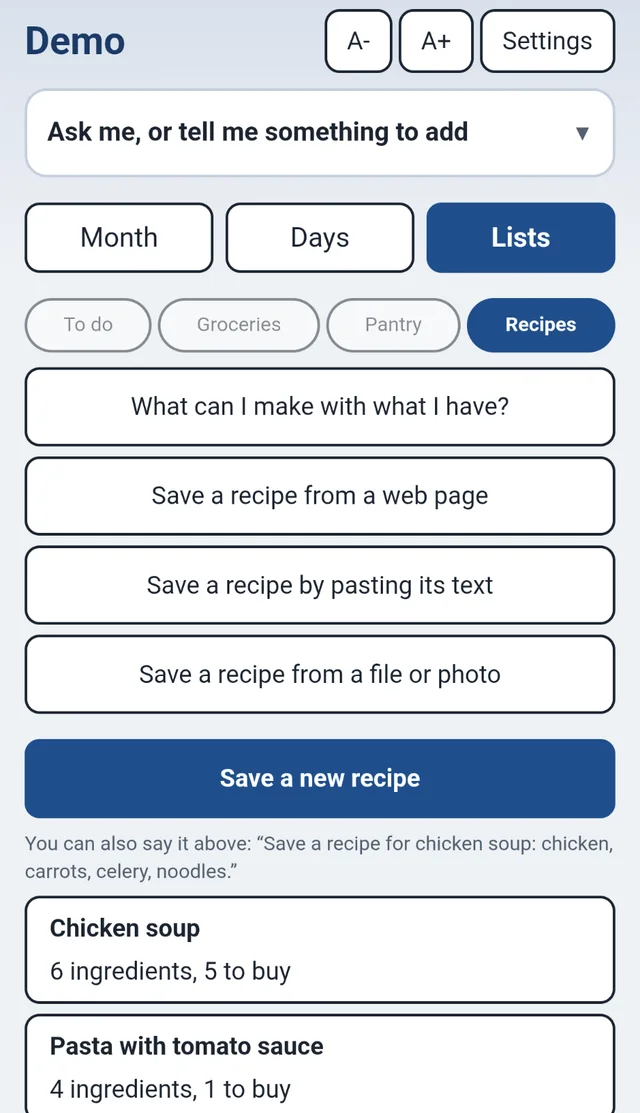
Press What can I make with what I have? It looks at your pantry and shows you what you have everything for, and what is only one or two things short.
To-do jobs that shop for you
"Replace the smoke detector battery" needs 9-volt batteries. Press Needs, say what the job needs, and whatever is missing goes on the Groceries list too.
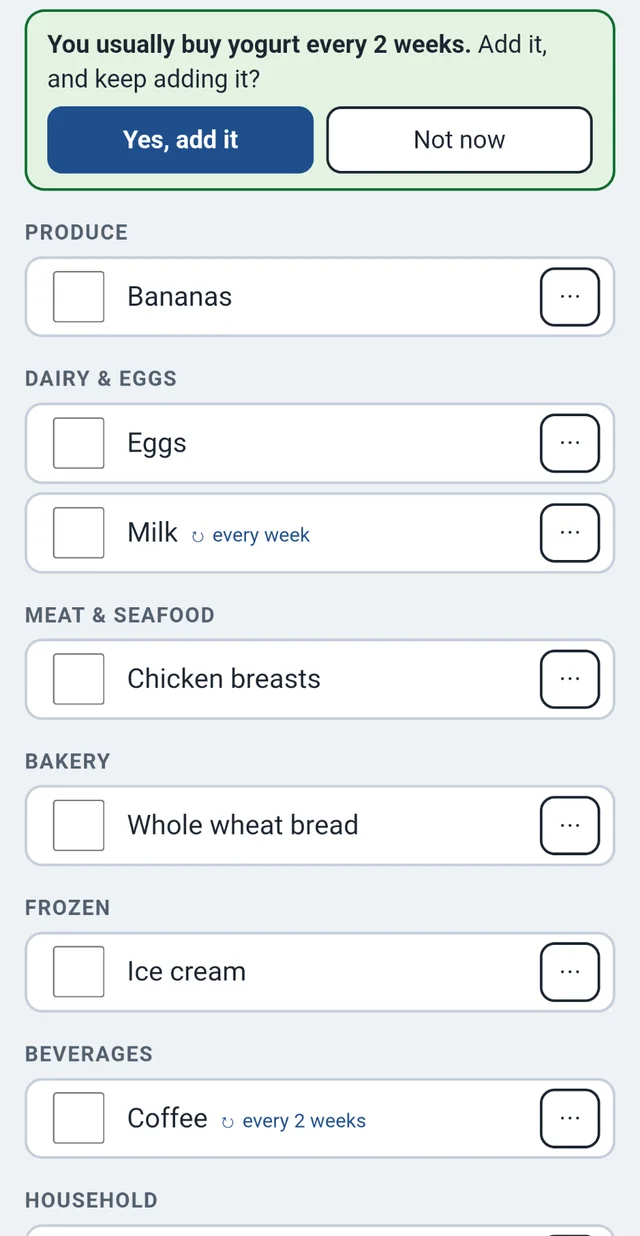
And it is all on your day screen
When you open the guide for the day, you see today's appointments and today's to-do list first. Ask it things in your own words: "Am I busy Saturday?" or "Dentist Tuesday at 3."
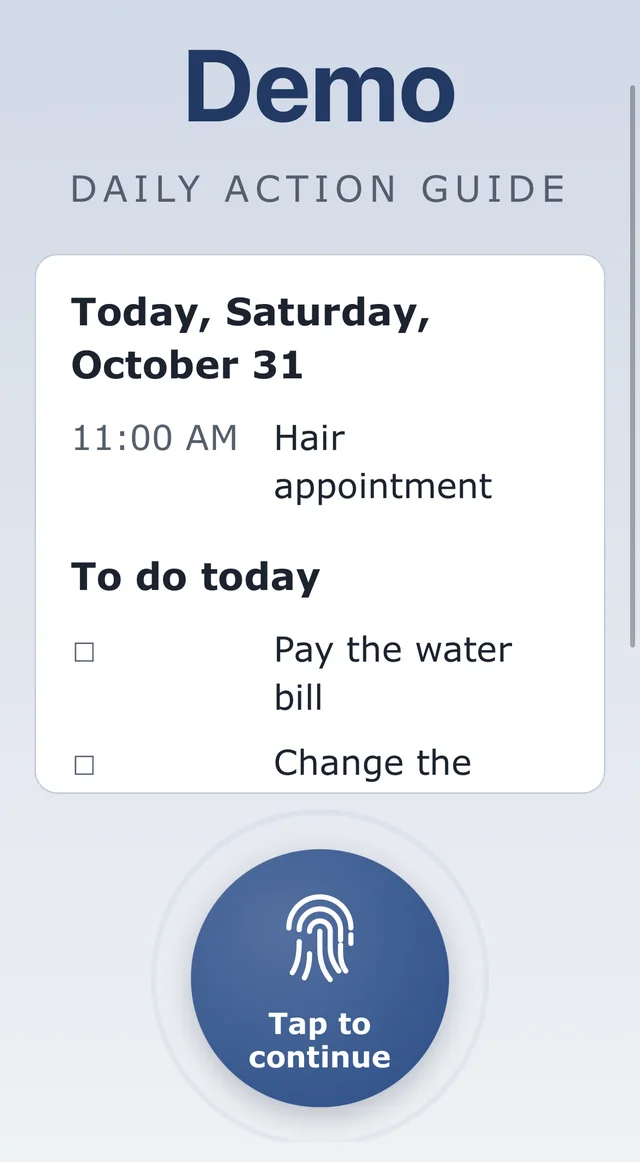
Good to know. Saving a recipe from a web page or a photo, and asking by typing or talking, use an AI assistant, with a fair daily limit. The pantry, lists, calendar and your own recipes work without it.
Ready to have this at home?
The planner, the lists and the recipes you just saw come together on one home page of big buttons, at a web address of your own. The bundle also includes a home inventory with QR labels and Debt Shield, a debt payoff planner. Large, easy text, nightly backups and no contract.
From $19.99 a month, plus tax. You see your price update as you choose, and nothing is charged until you check out. The demo asks for a code, so call us at (609) 928-7300 and we will give you one.