To-do lists and shopping lists that actually help
Three lists in one place: things to do, things to buy, and what you already have at home. They talk to each other, so you do less typing.
A to-do list that does the shopping for you
Press Today to put a job on today's list. Press Needs and tell it what the job needs from the store, for example 9-volt batteries for the smoke detector. Whatever you do not have is put on your Groceries list when you save.
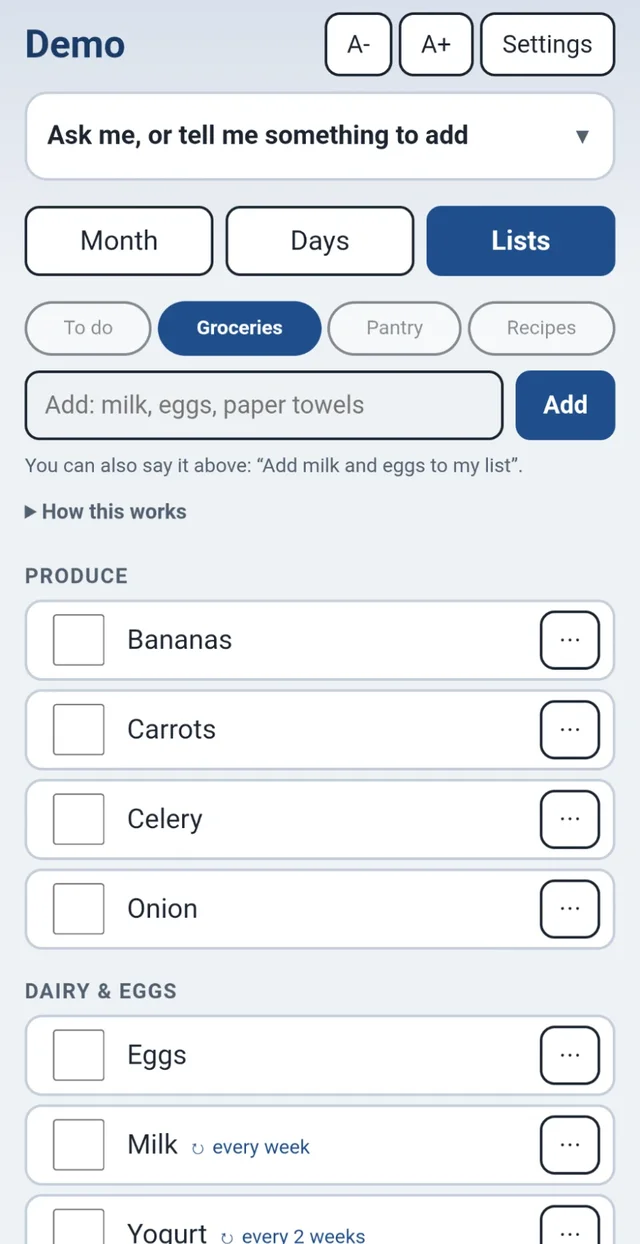
A grocery list sorted by aisle
Everything is sorted into Produce, Dairy & Eggs, Meat & Seafood, Bakery and more, so you walk the store once.
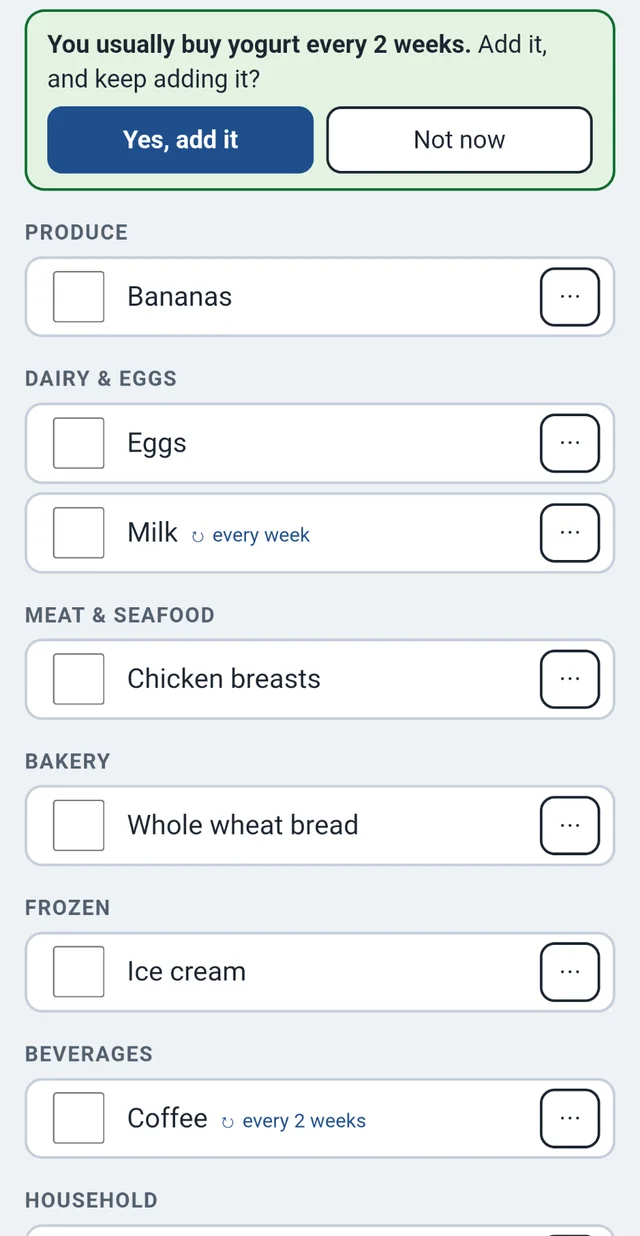
- It learns. "You usually buy yogurt every 2 weeks. Add it, and keep adding it?"
- Repeats. Things you buy every week or two come back on their own.
- Email me this list sends the list to your email, ready to read in the store.
- Edit categories lets you set up the aisles the way your store has them.
A pantry that knows what you have
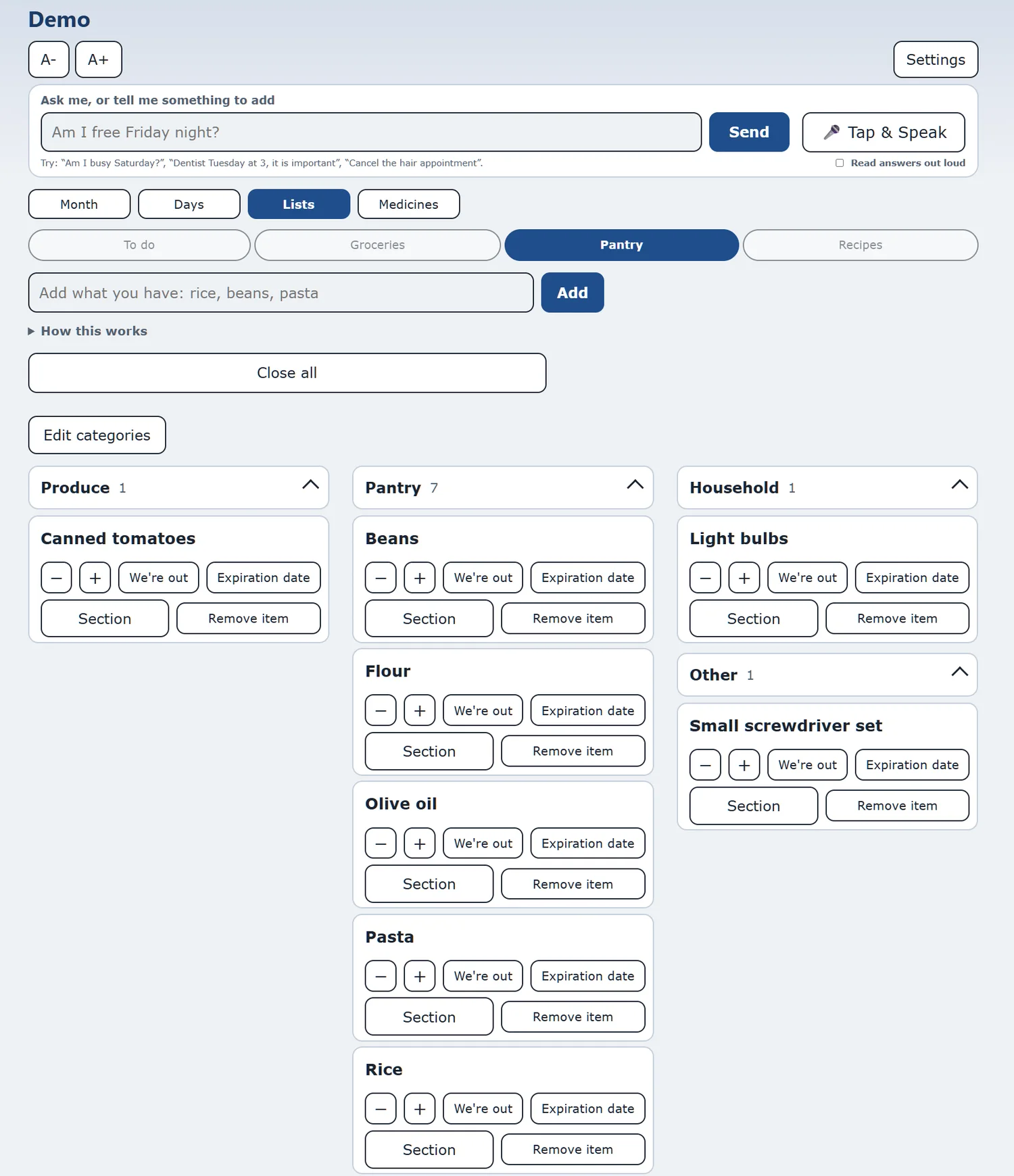
Add what you keep at home and how many. Use the minus and plus buttons as it gets used up, press We're out when it is gone, and add an Expiration date if you like.
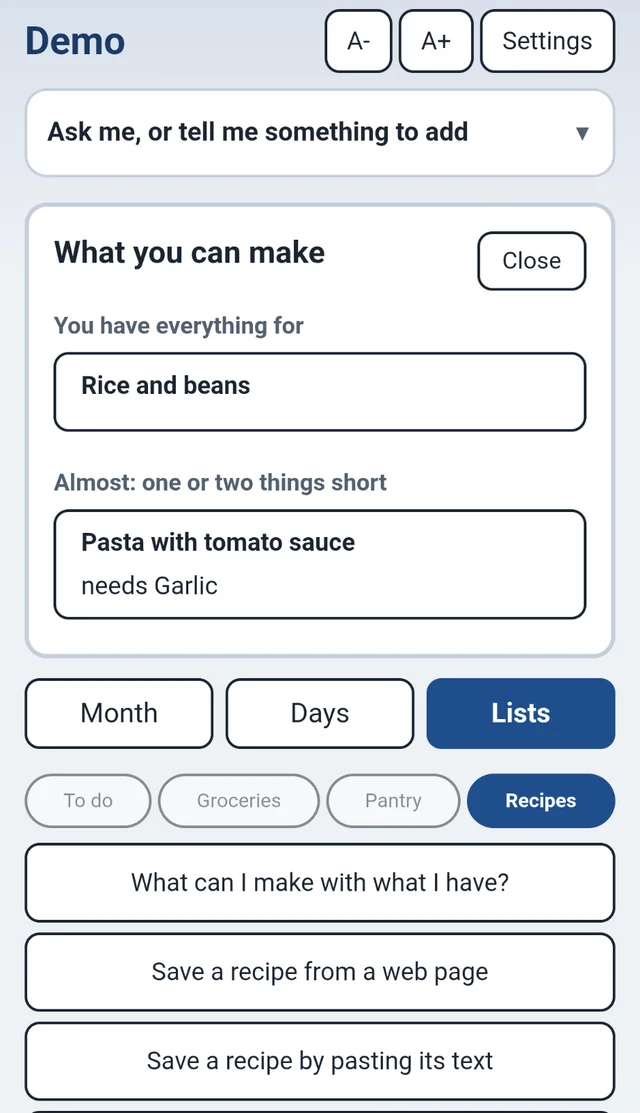
Because the guide knows your pantry, your recipes and your to-do jobs can tell you what is missing. See how recipes use it.
Ready when you are: start your bundle, or try the demo (call (609) 928-7300 for a code).