Recipes that know what is in your kitchen
Keep every recipe in one place. Each one tells you what you already have and what you still need to buy.
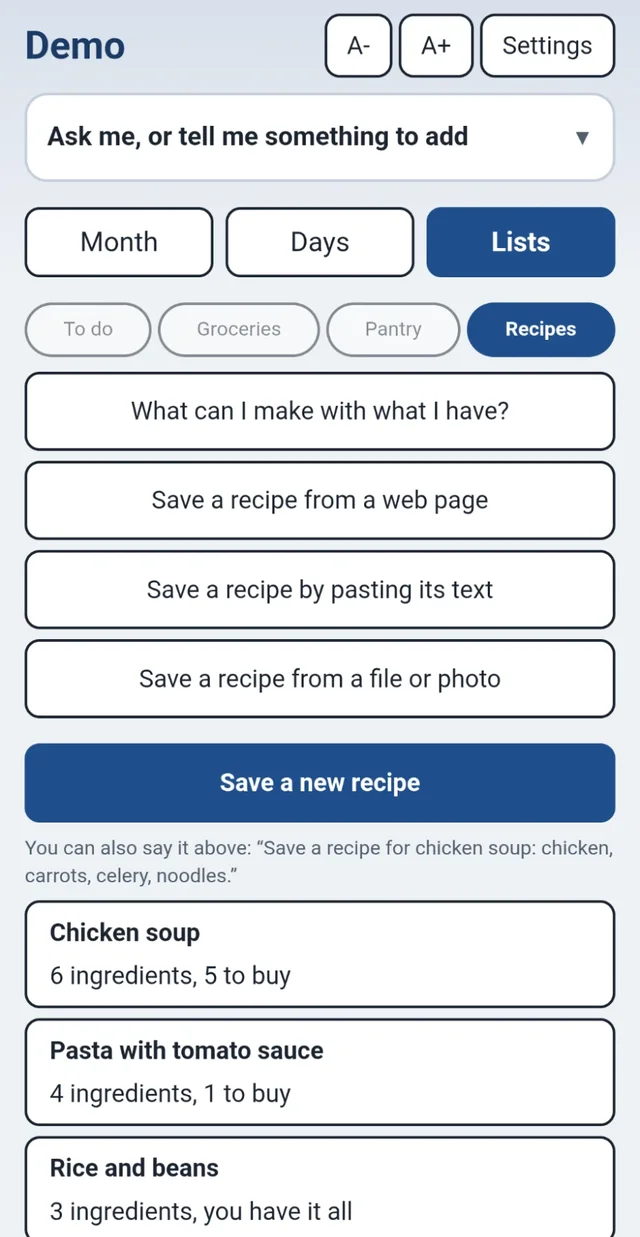
Four easy ways to save a recipe
From a web page
Paste the address of a recipe page and the guide pulls out the recipe for you.
From a photo or file
Snap a picture of a recipe card or cookbook page, or pick a saved file.
By pasting its text
Copy a recipe from an email or a message and paste it in.
By typing it in
Press Save a new recipe and fill in the ingredients. Or just say it above: "Save a recipe for chicken soup: chicken, carrots, celery, noodles."
Good to know. Reading a recipe from a web page or a photo uses an AI assistant, with a fair daily limit. Typing a recipe in yourself does not.
See what you have and what to buy
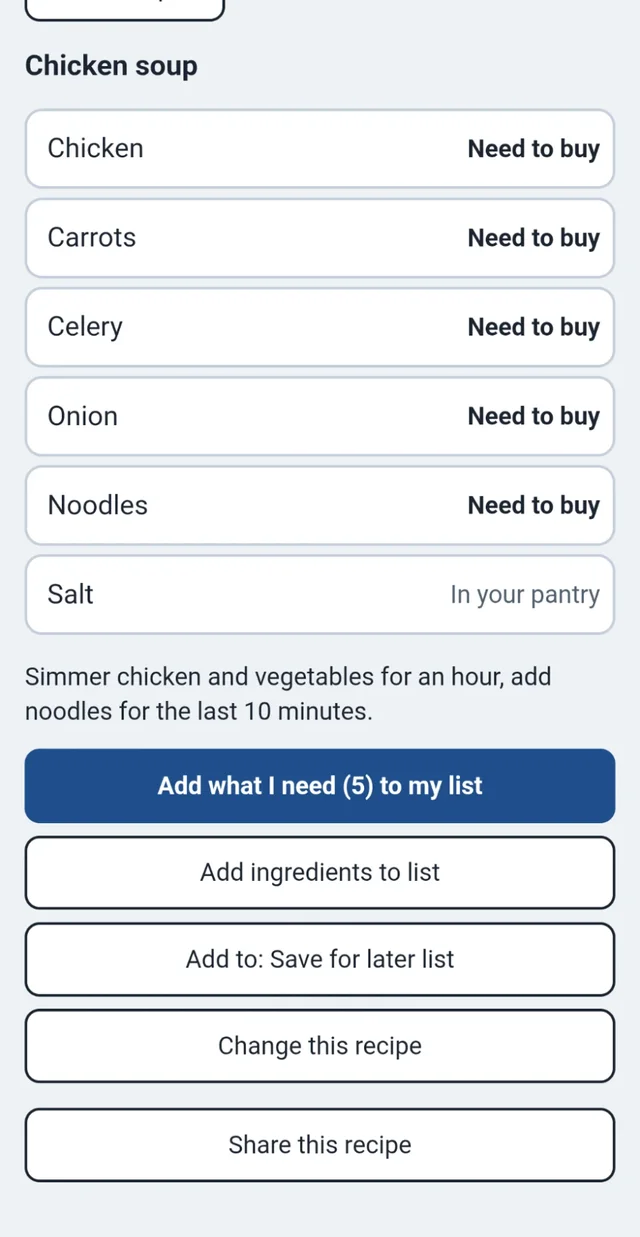
Open a recipe and every ingredient is marked In your pantry or Need to buy. Press Add what I need and only the missing items go on your grocery list.
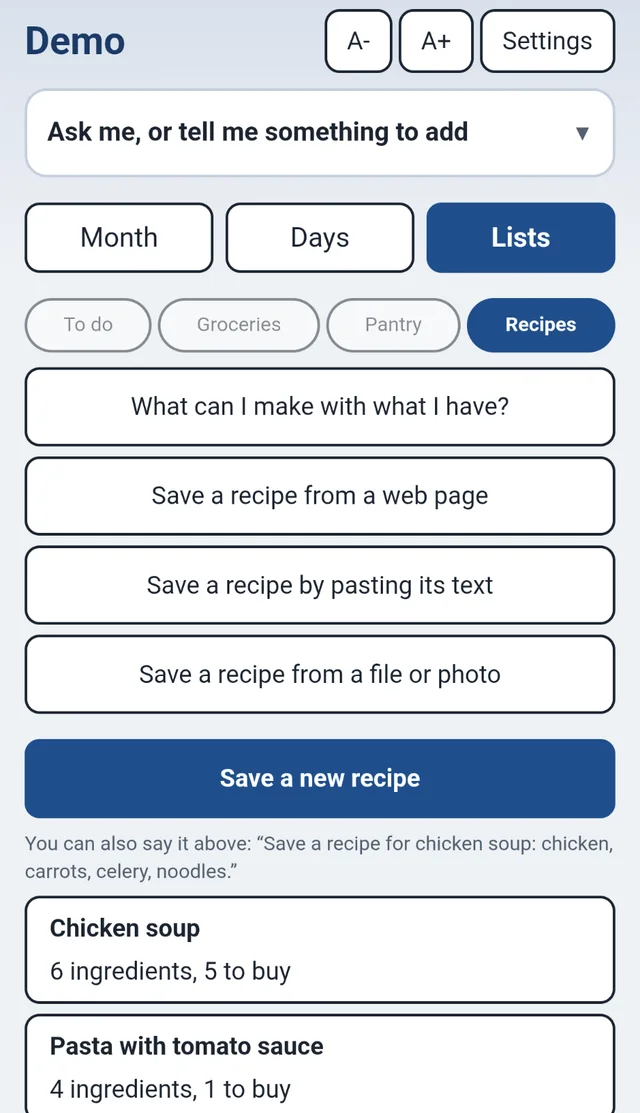
"What can I make tonight?"
Press one button and the guide looks at your pantry. It shows what you have everything for, and what you are only one or two things short of.
Ask for a recipe
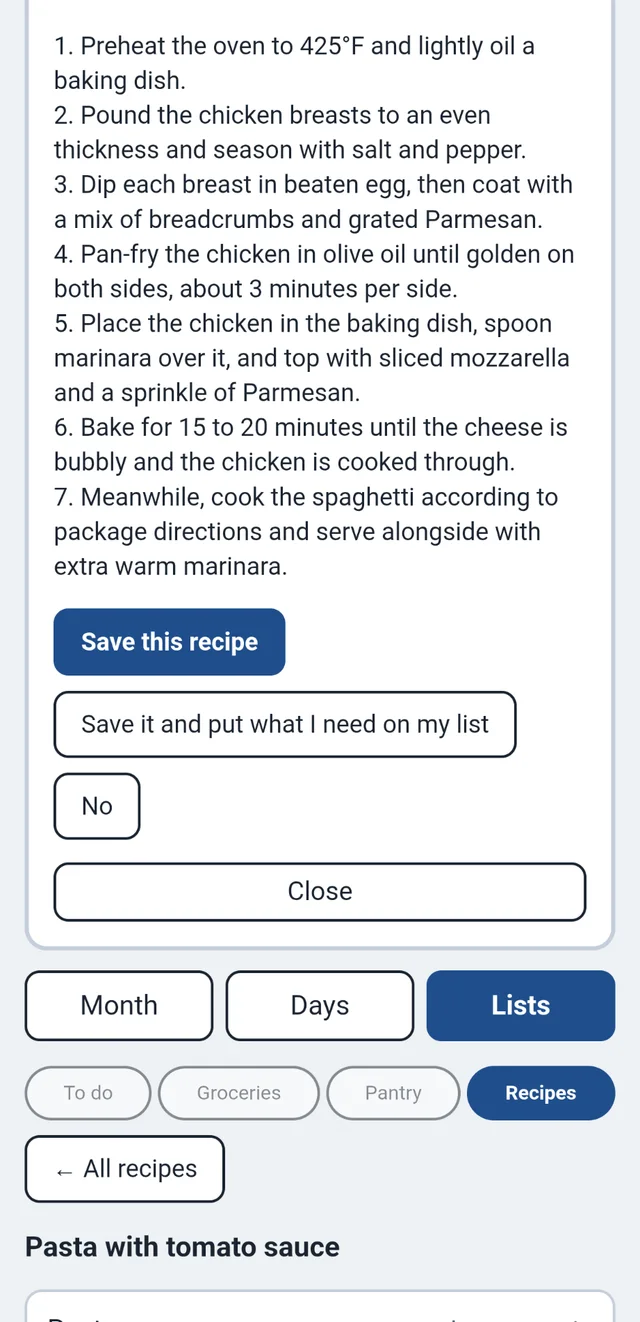
Not sure what to cook? Ask, and the assistant suggests a recipe. It marks each ingredient as on your list, to buy, or in your pantry, and reminds you to look it over before you cook.
You can also change a recipe, put it in a category, save it for later, or share it with someone.
Ready when you are: start your bundle, or try the demo (call (609) 928-7300 for a code).